Charts
News on the chart
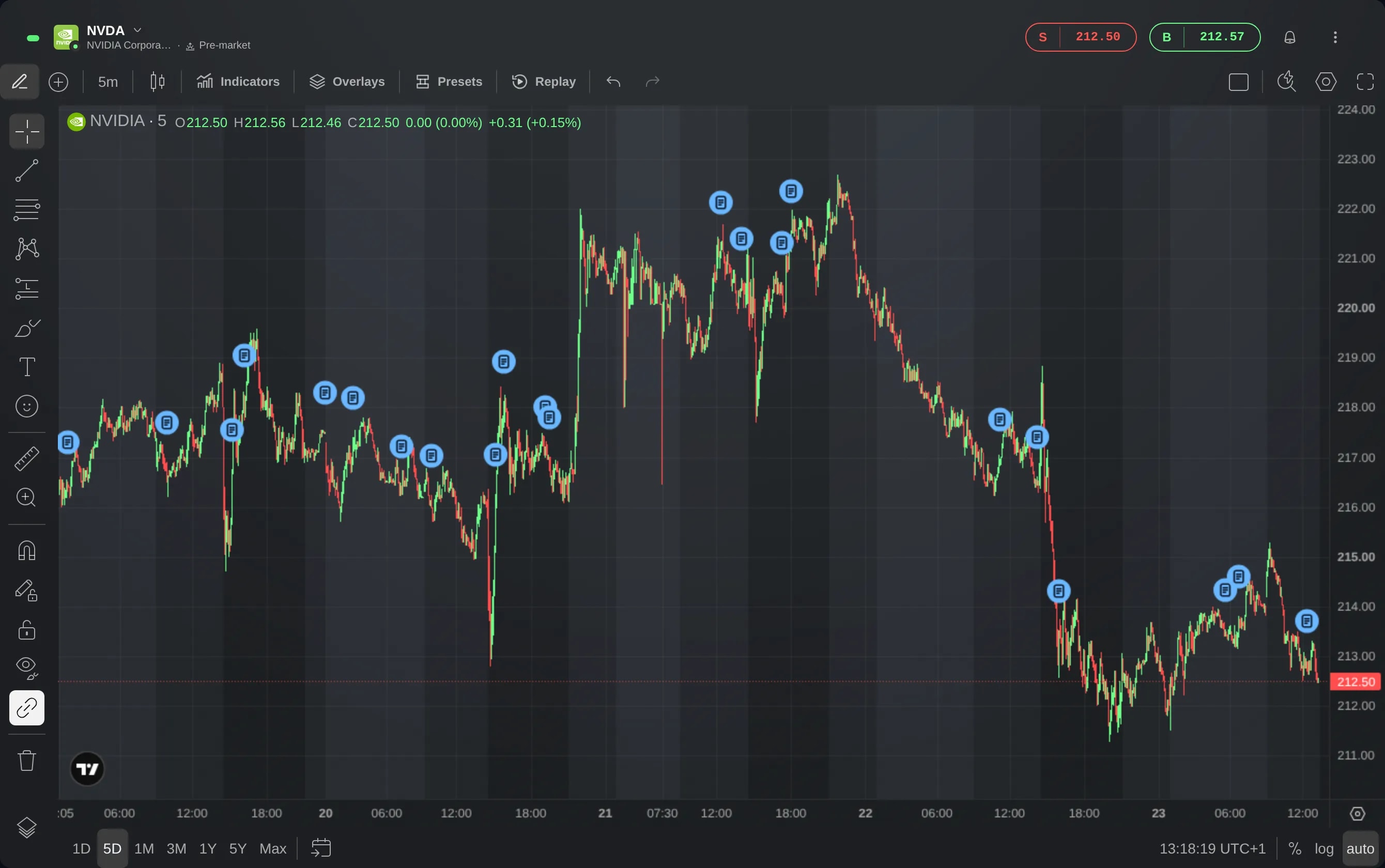
Turn on News in a chart's Overlays to see when headlines about the instrument came out, as markers just above the candles. Click a marker to read the stories.
What it is
News marks on a chart when headlines about its instrument came out. Each candle in which a story was published gets a small blue marker just above it, so a headline sits where the price was when it appeared.
It puts the headlines next to the price, so you can see what was reported around a move without leaving the chart. A click on a marker lists its stories, and each story opens the publisher's article.
News is a layer of the Chart widget, off until you turn it on. Its headlines are the ones the News widget lists for the same instrument.
How to use it
Start from a Chart widget showing the instrument you want the headlines for.
Choose Overlays in the toolbar at the top of the chart. On a narrow chart, it is the icon of stacked layers.
Turn on News. A marker appears above each candle in which a story came out. When several stories fall on the same candle, they share one marker that shows how many there are.
Click a marker to list its stories, newest first, each with its source, its time and its headline. Click a headline to open the article on the publisher's site, in a new tab.
A News widget that follows an instrument can do the same for the charts in its link group. Its chart icon, named Show news on chart when you point at it, turns News on for every chart in that group on the layout, and a second click turns it off. When the widget is narrow, it is a row of the widget's ⋮ menu.
To take the markers off, click any marker and choose Hide news, or turn News off again in Overlays.
Good to know
News is a setting of each chart, saved with your layout. It is still on after a reload, and it stays on when you change the chart's instrument. A chart you add starts with News off.
The News widget's button changes only the charts in its own link group. While no chart shares that group, the button is greyed out: put a chart in the same group first.
The markers show the headlines the News widget lists for the instrument, from no more than about a month back. For an instrument in the news every day, they reach back a week or two. Only the stories inside the chart's loaded history are marked: a one-day view shows the last day's, and scrolling back or choosing a longer range shows earlier ones.
With News on, Overlays says under News when the instrument has no recent headlines, or when the news cannot be loaded right now.
Screens are from a Demo account. The instruments and prices in them are illustrative.