Research
News headlines for your watchlists
Set a News widget to Unlinked and pick a list in its header, such as My Portfolio or a watchlist, to read the newest headlines across the whole list in one feed.
What it is
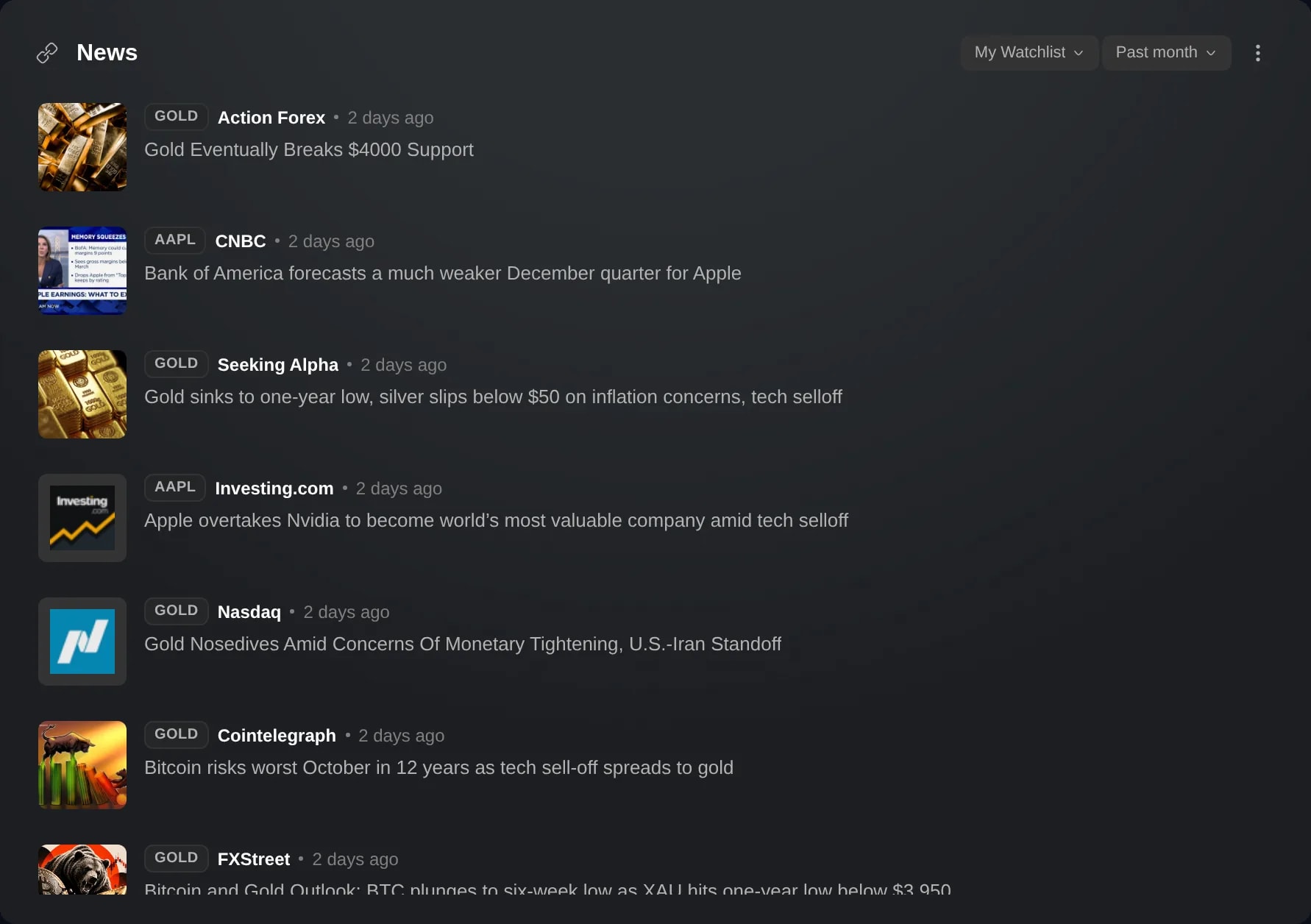
A News widget can list the newest headlines across a whole list, in one feed. Once the widget is unlinked, a chip in its header picks the list: My Portfolio, one of your watchlists, or a market list such as Top Movers. Each headline is labeled with the ticker of the instrument it is about, or with both when a story covers two.
It is a quick way to catch up on everything you follow. A News widget in the same color group as a Watchlists widget shows one instrument at a time, the last row you clicked, while a list feed covers the whole list at once.
The list is a setting of the News widget itself, for every account. Until you pick one, an unlinked News widget lists Market headlines, stories about large companies and indices, as it always has.
How to use it
Start at a News widget. To add one, click the + at the bottom of the sidebar, choose Add widget and pick the News card.
If the widget is in a color group, its title names that group's instrument, such as News · NVDA, and it lists only that instrument's headlines. Click the link badge beside the title and choose Unlinked. The other widgets in the group keep their instrument.
Click the chip in the header. It reads Market headlines until you pick a list, and the list's name after that. When the widget is too narrow for it, open the widget's ⋮ menu: the same chip is its first row.
Choose My Portfolio, or one of your watchlists or dynamic lists under Yours. Under Markets are lists such as Top Movers, Most Popular and themed lists like Semiconductors. The widget then lists the newest headlines across the list, each labeled with its instrument's ticker. Click a headline to open the article on the publisher's site.
Good to know
A News widget in a color group follows that group's instrument and has no list chip. Its chart button, which puts the headlines on the group's charts, is there only while it is linked, so a list's headlines stay in the widget.
The feed lists up to 30 of the newest headlines across the list, not the most relevant. While other instruments have stories waiting, no single one can take more than its share, but on a long list the quieter instruments may not appear.
People and Smart Portfolios on a list have no headlines of their own and are left out. A list of more than 200 instruments is read for its first 200, and the widget says so above the headlines. For My Portfolio, those are your largest holdings.
The list is saved with the widget, so it is the same after a reload and on another computer, and each News widget keeps its own. If you delete the list, the widget lists Market headlines again.
The time window beside the chip, Past month until you change it, applies to the list too. When nothing on the list made the news in that window, the widget says so and names the list.
A list's headlines are renewed about every five minutes, so a new story can take a few minutes to appear.
Screens are from a Demo account. The instruments and prices in them are illustrative.